Cat Productivity

Cat Productivity

Overview

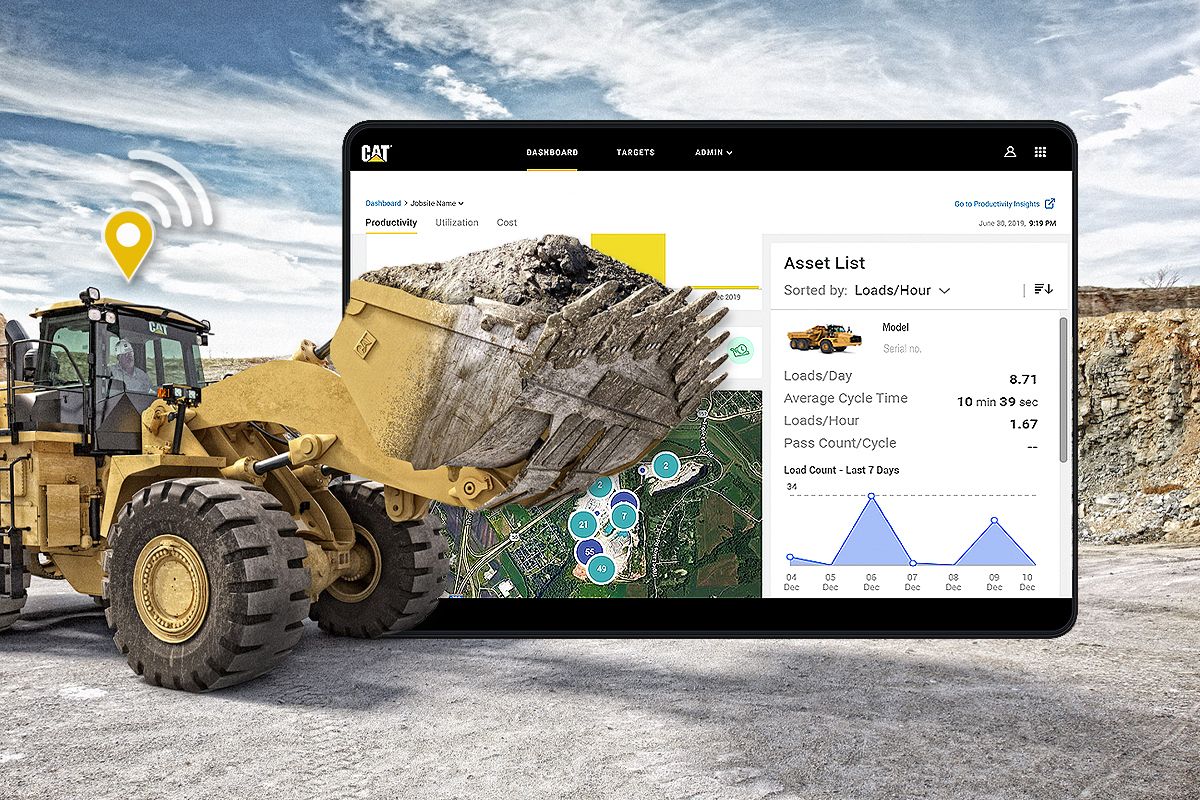
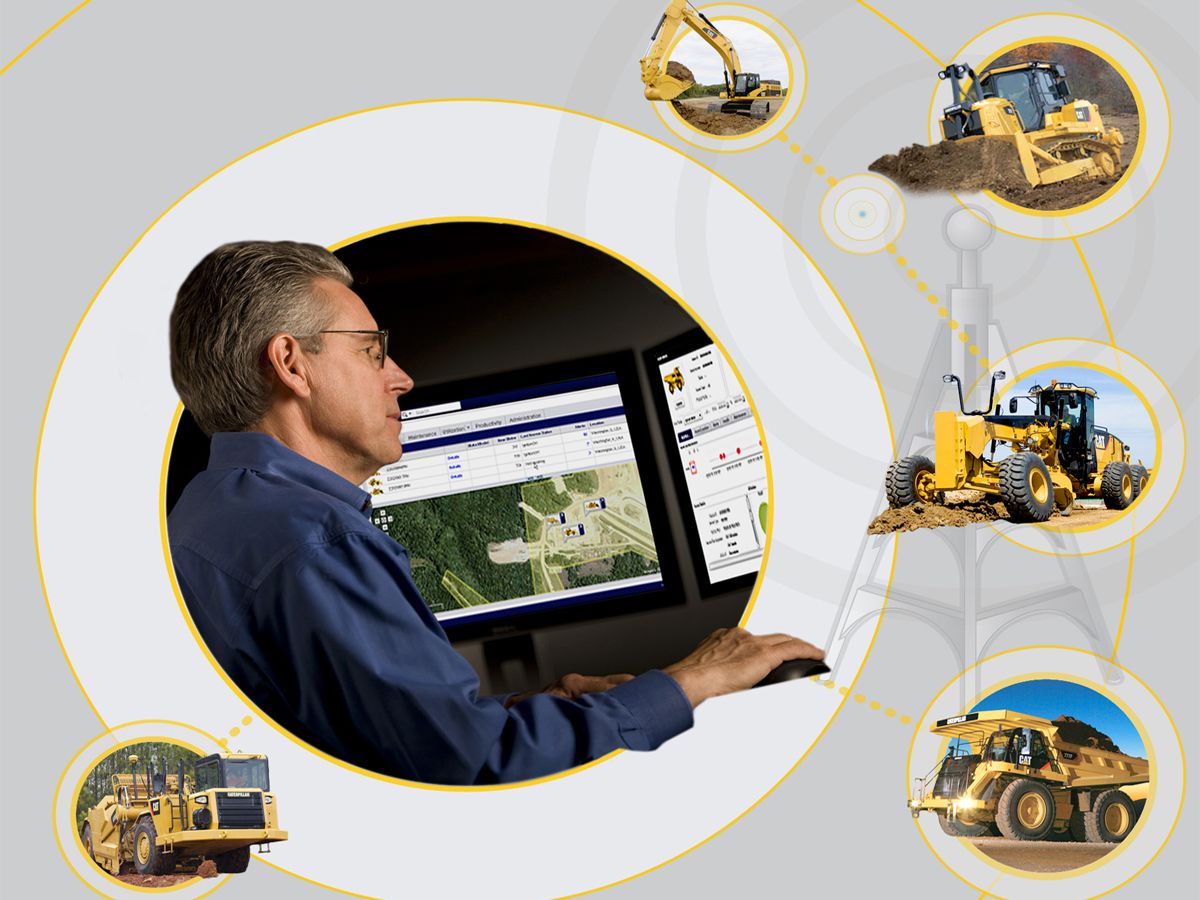
Cat® Productivity is a cloud-based application that is scalable to any size operation. Detailed Cat Production Measurement data, machine data and jobsite data are transmitted from the onboard Cat Product Link™ device directly to the web platform, for you to access wherever you are, via your mobile, tablet or desktop device.
Benefits & Features

How Cat Productivity Works

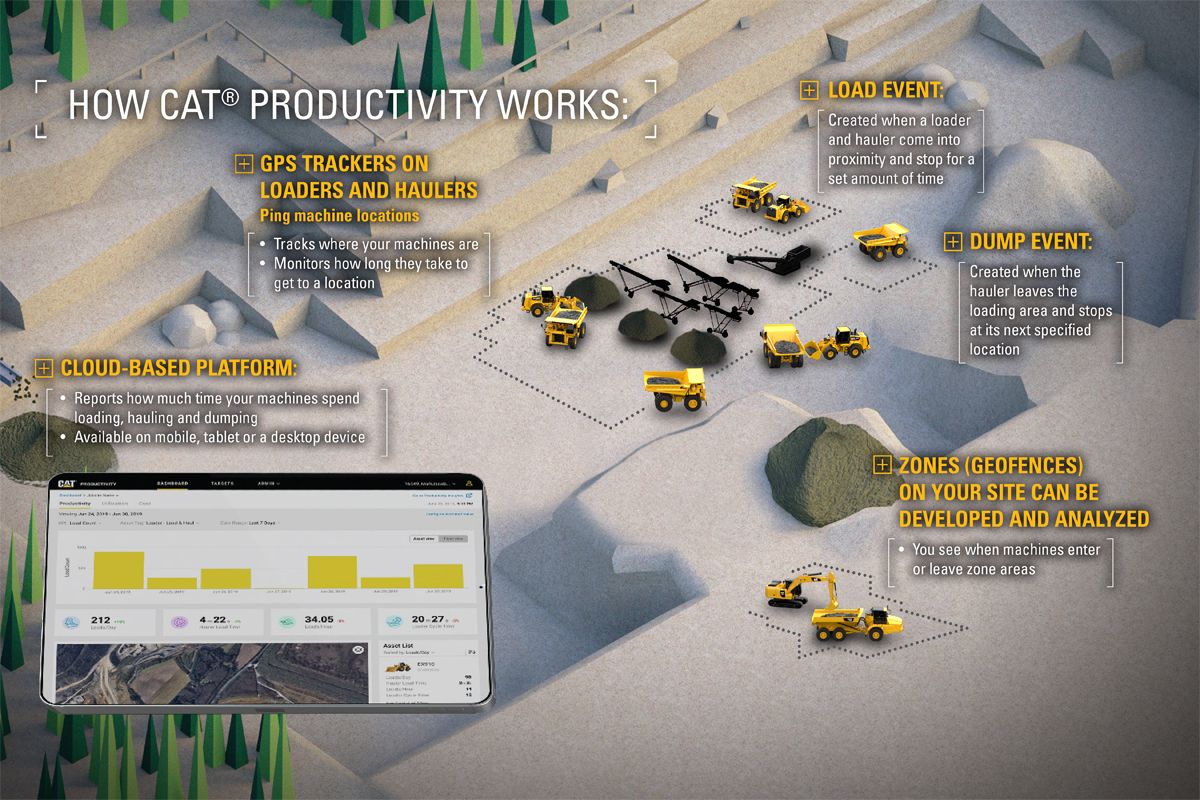
  • GPS trackers on your loaders and haulers constantly ping location
  • When a loader and hauler come within a specific range of each other and stop next to one another for a certain amount of time, that creates a load event.
  • After the hauler leaves the load area and stops at a consistent location, a dump event is created.
  • You can also create zones (geofences) on your site and this indicates when they enter or leave certain areas that could be labeled.
* Cat® Productivity logic can be used on older Cat machines and non Cat machines with a cellular Product Link™ device.
* Cat Productivity is also capable of sending advanced productivity data off machines equipped with a payload system [Cat ProductionMeasurement (CPM) or Truck Payload Measurement System (TPMS)],which makes the system more intelligent and accurate.

Productivity Dashboards

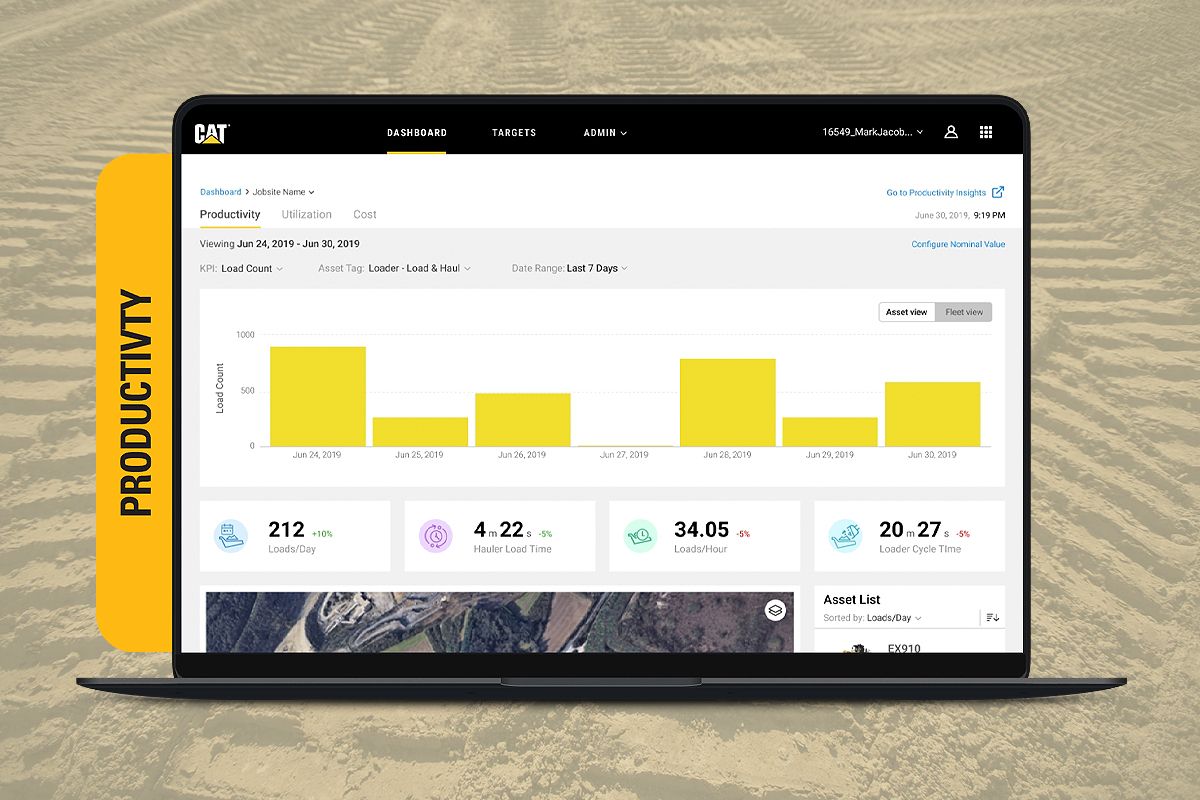
LOAD COUNTS -

  • Cat Productivity’s site reporting can monitor full data on actual fleet production.
  • Individual assets can also be analyzed by load counts, payload and key metrics.
PAYLOAD -
  • The tool can provide data such as hourly fleet performance, to help identify opportunities for increased productivity in your daily operation. For example, optimized management of shift changes, refueling process and breaks.
SEGMENTS -
  • The tool can provide data on machine activity such as cycle segments, load times, fill levels, and loader positioning, which allows you to make informed adjustments with operators to increase site efficiency.

Utilization Dashboards

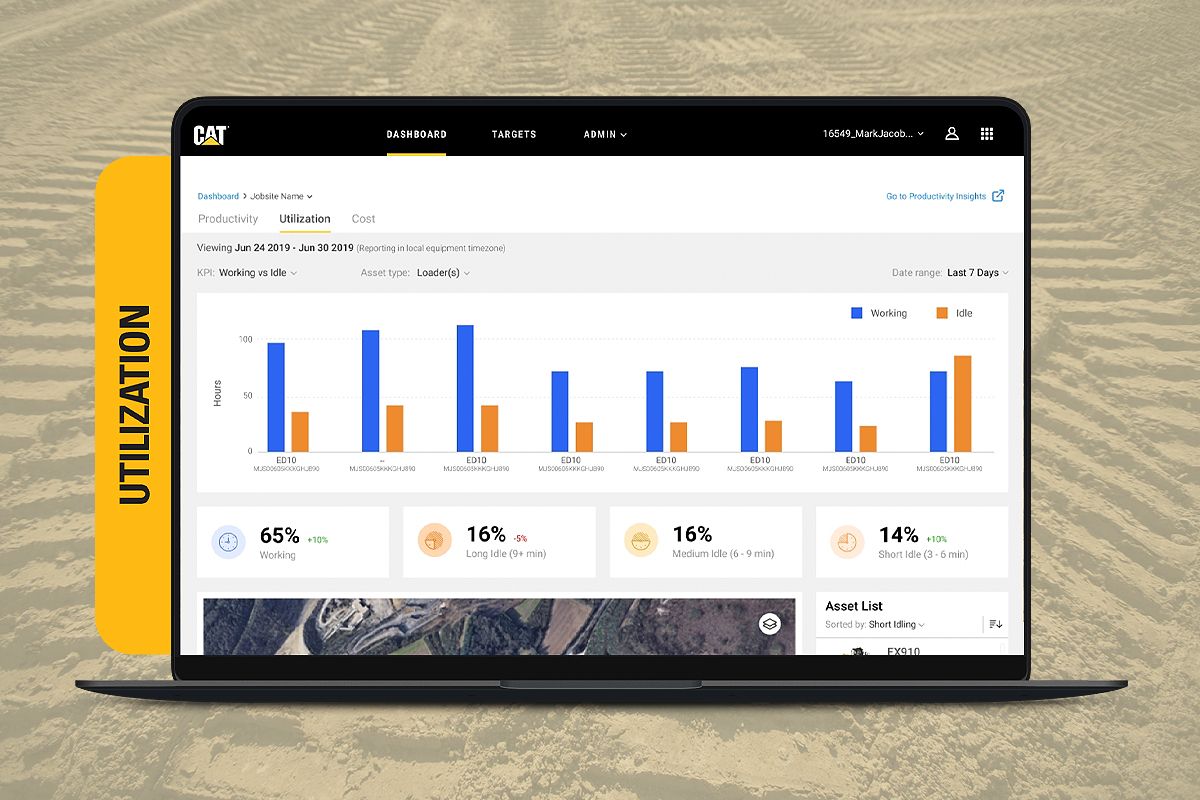
The tool can provide the following utilization data -
  • Working vs Idle Hours
  • Working vs Idle Fuel
Monitoring idle activity means you can make informed adjustments to jobsite operation.

See More
no image
Get the Most out of Cat Productivity
no image
Cat Productivity
How Cat Productivity Works

Specifications

Benefits & Features

How Cat Productivity Works

  • GPS trackers on your loaders and haulers constantly ping location
  • When a loader and hauler come within a specific range of each other and stop next to one another for a certain amount of time, that creates a load event.
  • After the hauler leaves the load area and stops at a consistent location, a dump event is created.
  • You can also create zones (geofences) on your site and this indicates when they enter or leave certain areas that could be labeled.
* Cat® Productivity logic can be used on older Cat machines and non Cat machines with a cellular Product Link™ device.
* Cat Productivity is also capable of sending advanced productivity data off machines equipped with a payload system [Cat ProductionMeasurement (CPM) or Truck Payload Measurement System (TPMS)],which makes the system more intelligent and accurate.

Productivity Dashboards

LOAD COUNTS -

  • Cat Productivity’s site reporting can monitor full data on actual fleet production.
  • Individual assets can also be analyzed by load counts, payload and key metrics.
PAYLOAD -
  • The tool can provide data such as hourly fleet performance, to help identify opportunities for increased productivity in your daily operation. For example, optimized management of shift changes, refueling process and breaks.
SEGMENTS -
  • The tool can provide data on machine activity such as cycle segments, load times, fill levels, and loader positioning, which allows you to make informed adjustments with operators to increase site efficiency.

Utilization Dashboards

The tool can provide the following utilization data -
  • Working vs Idle Hours
  • Working vs Idle Fuel
Monitoring idle activity means you can make informed adjustments to jobsite operation.

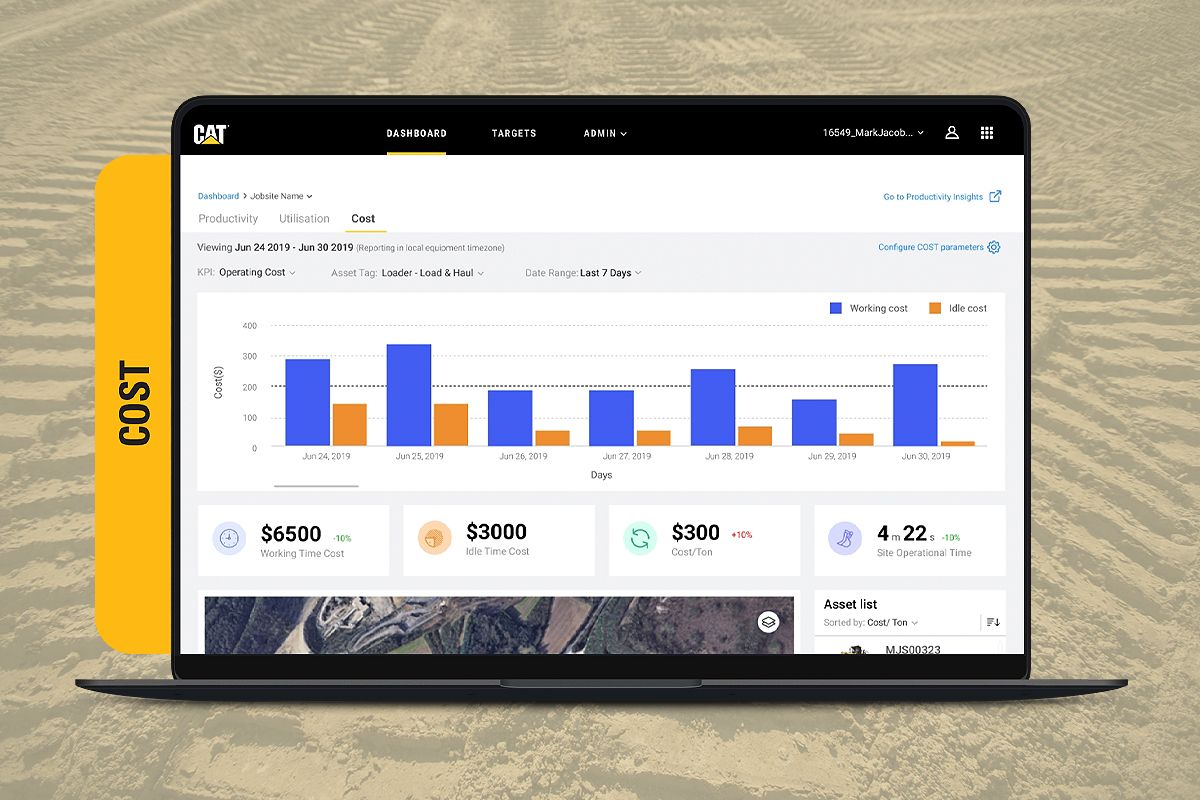
Cost Dashboards

  • Cat Productivity’s site reporting provides an overview of site costs including total site costs, fuel costs, cost trends, and fuel consumption.

HOW TO GET CONNECTED

  1. Contact your local dealer to start getting production measurement data with Cat Productivity. Your Cat dealer can answer any questions and provide expert advice on hardware, connection and integration options.
  2. You must have good cellular coverage at the jobsite for all your connected equipment.
  3. Install or Activate a Cellular Product Link™ Device -
    • For new Cat equipment, simply activate the telematics hardware built into the machine.
    • For older Cat equipment or other OEM machines, install a Cellular Product Link device.
    • Machines already equipped with Cat Production Measurement (CPM) or Truck Payload Measurement System (TPMS) may require additional hardware.
  4. View your Data on the Cat Productivity Web Application -
    • Use any mobile, tablet or a desktop device with an Internet connection.
    • A Cat customer account with a CWS login will be required.
    • Add Product Link equipped machines to your customer account to start receiving data.
    • Cat Productivity can send advanced productivity data from machines equipped with a payload system (CPM or TPMS), which improves system accuracy.

Related Products

no image
no image
Title

Lorem Ipsum is simply dummy text of the printing and typesetting industry. Lorem Ipsum has been the industry's standard dummy text ever since the 1500s, when an unknown printer took a galley of type and scrambled it

100 200 # #
1 # 1 #